Invoices in a minute
Pick a customer, add the lines, and print, email or save a clean PDF. Numbering, tax and totals are worked out for you.
For iPhone and iPad
Send a quote, turn it into an invoice, record what you are paid and see who still owes you. Built for trades and small businesses who would rather be working than doing paperwork.
14-day free trial. No account to create. Your data stays on your devices.
What it does
No bookkeeping jargon and no setup marathon. Answer a few questions about your business and send your first invoice.
Pick a customer, add the lines, and print, email or save a clean PDF. Numbering, tax and totals are worked out for you.
Price a job before it starts. When the customer says yes, one tap turns the quote into an invoice.
Record deposits and payments as they arrive. Every invoice shows what has been paid and what is left.
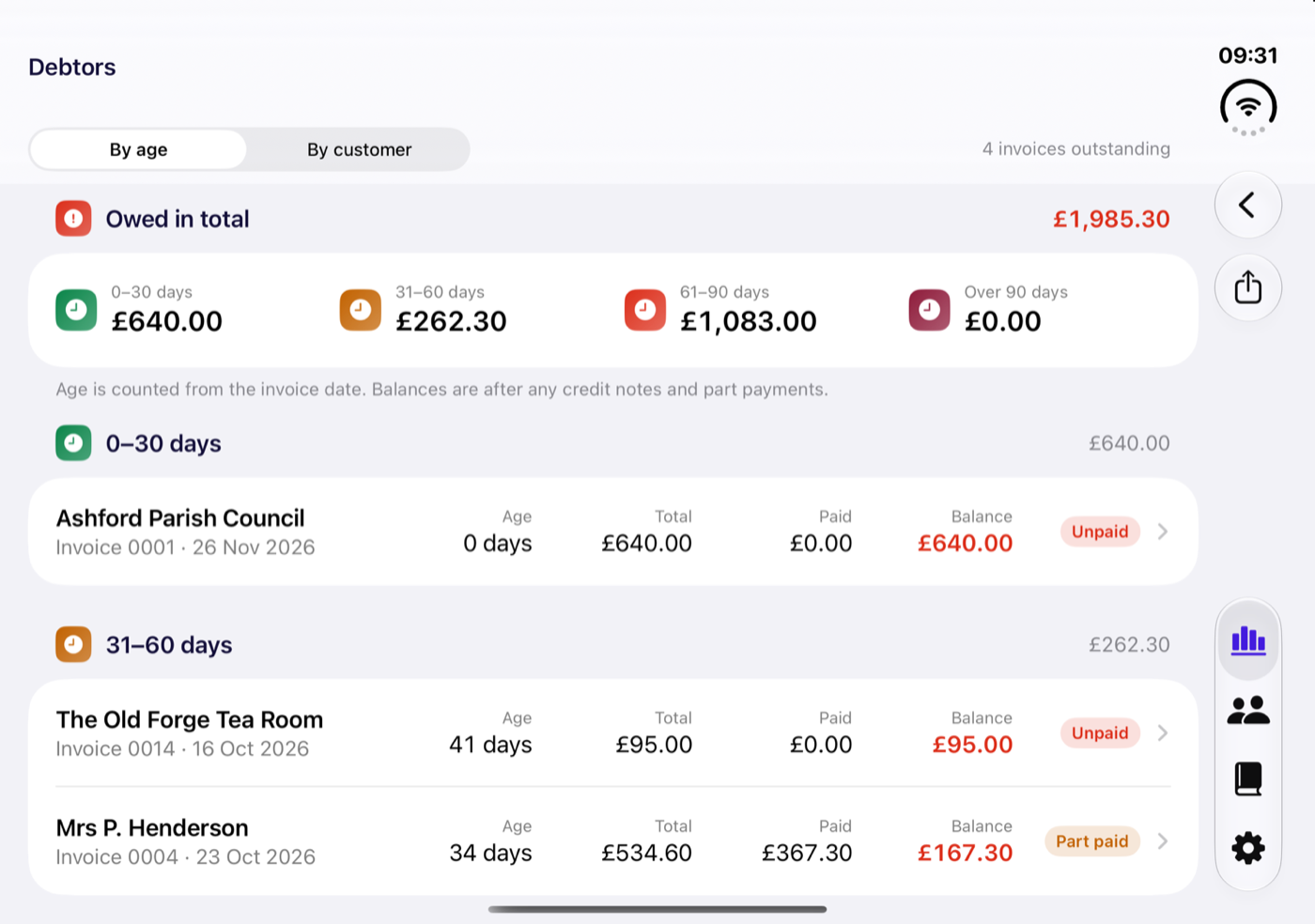
An aged debtors list splits what you are owed into 30, 60 and 90 day bands, by age or by customer.
Correct an invoice properly after it has gone, with its own numbered credit note and any refund recorded.
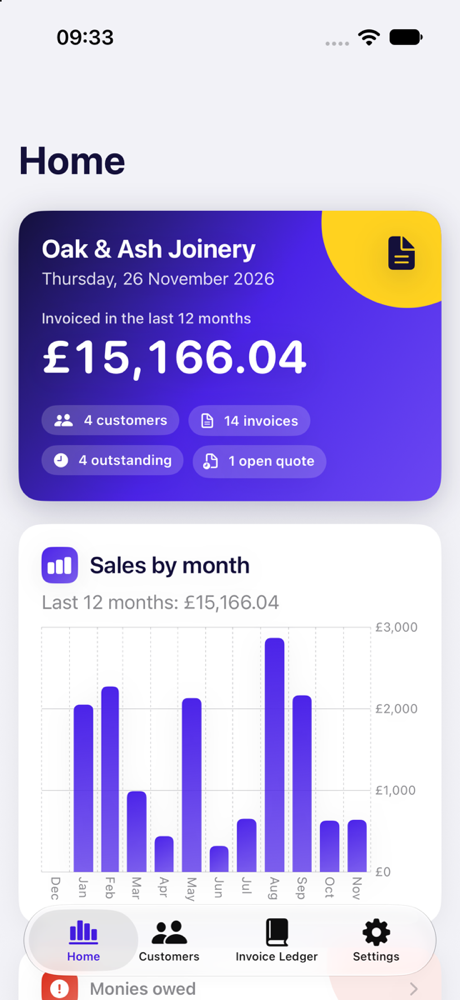
Home shows the last twelve months of sales, what is outstanding and what came in this month.
Export the ledger, payments and debtors to Excel for any month, quarter or tax year.
Switch on iCloud sync and your customers and invoices follow you between your devices.
On iPad
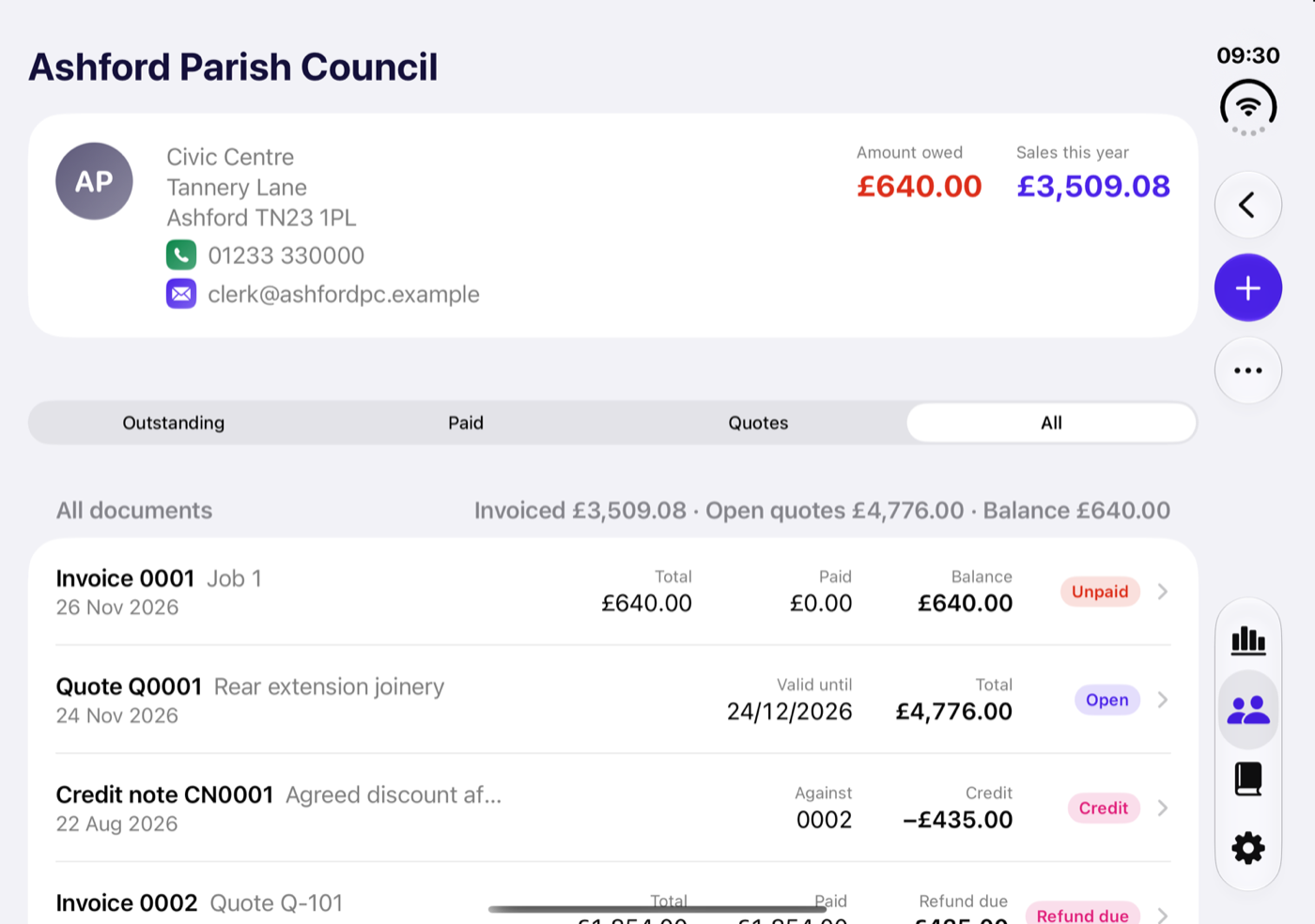
On iPad the same app opens out: invoice lines in a table, columns for total, paid and balance, and your customer's full history on one page.
Getting paid
The Debtors list adds up every unpaid balance and sorts it by age, so the invoice that needs a phone call is at the top. Export it to Excel when someone else chases for you.
Paperwork
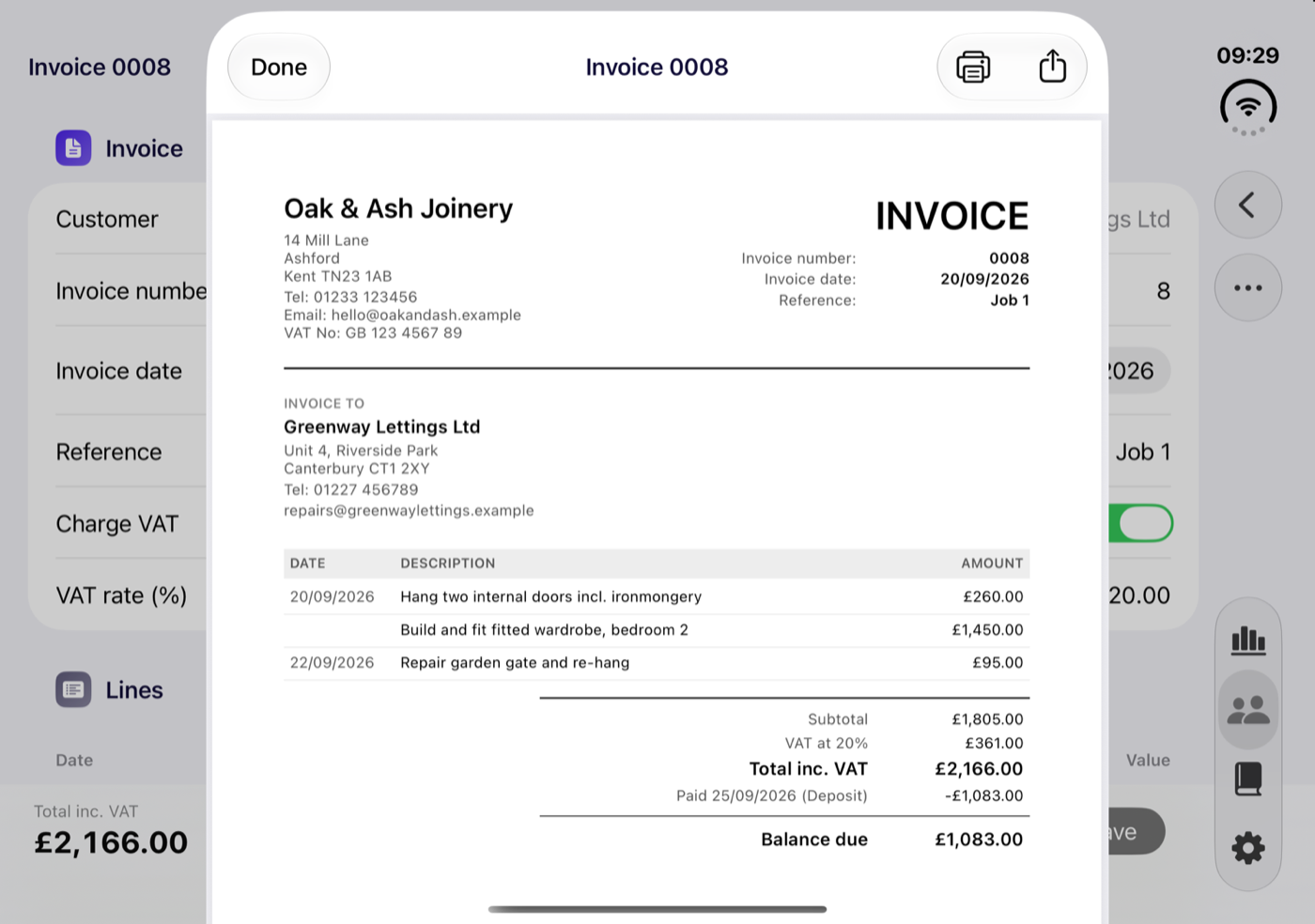
Invoices print in plain black and white with your logo, your details and a clear balance due. AirPrint it, email it, or save it to Files.
Invoice Toolbox has no account, no adverts and no tracking. Your records live on your device and, if you choose, in your own private iCloud. We cannot see them. You can take a backup file whenever you like and keep it wherever you like.
Pricing
Send real invoices and get paid before you decide. Cancel during the trial and you will not be charged.
Best value
£39.99 / $39.99 per year
14 days free, then billed once a year. Works out at about a third less than paying monthly.
£4.99 / $4.99 per month
14 days free, then billed each month. Cancel whenever you like.
Prices shown are for the United Kingdom (including VAT) and the United States (before any sales tax). The price in your country and currency is shown in the app before you subscribe. Subscriptions are bought through the App Store, renew automatically, and can be cancelled at any time in your Apple Account settings.
Questions
No. There is nothing to sign up for. The app works as soon as you open it, and it works without an internet connection.
On your iPhone or iPad. If you switch on iCloud sync it is also kept in your own private iCloud storage, which we cannot see. We do not run servers that hold your customers or invoices.
You keep everything. You can still open, print, export and back up all the invoices and customers you have already created. A subscription is only needed to create new ones and record payments.
Yes. Invoice in Canadian, Australian, New Zealand or US dollars, euros, or any other currency: pick yours in Settings and every invoice, total and report uses it. Paper size follows your country, US Letter in North America and A4 elsewhere, and dates and numbers are shown the way your device is set. The app itself is in English, and each business invoices in one currency.
Yes. Call your tax whatever it is called where you work, such as VAT, GST, HST or sales tax, set the rate and your registration number, and choose invoice by invoice whether to charge it. Each invoice has one tax rate, so if you must show two separate taxes on one invoice, such as GST and PST, the app will not split them for you.
No. Invoice Toolbox raises invoices and tracks what you are paid. It exports tidy Excel files that you or your accountant can use for bookkeeping and tax.
Yes. Add a logo from Photos or Files and it is printed at the top of every invoice, quote and credit note.
Something else? Write to support@invoicetoolbox.app or see the support page.